Every reader knows the feeling: you close the last page of a great book, feel satisfied, and then suddenly stuck. What should you read next?
This is exactly where Biblophile’s reading queue feature becomes invaluable. By queuing books before you finish your current read, you remove friction, maintain momentum, and turn reading into a seamless habit rather than a decision-making chore.
How to Add Books to your Reading Queue:
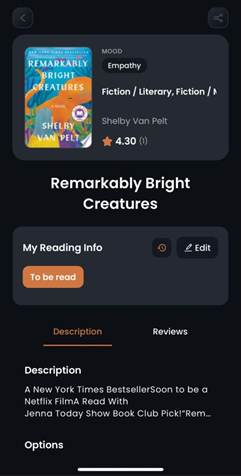
- Select a book that you want to add to your queue. (You can select this book either from the discover page or from the “to be read” list in your profile.)
- In the Reading Info, select the “Edit” option.
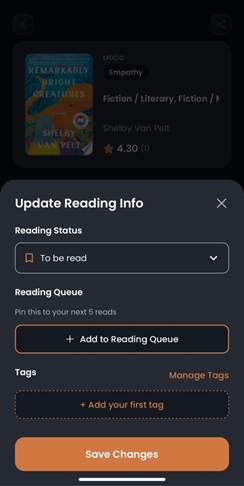
- Click on the “Add to Reading Queue” option.
- You can find your reading queue in the “To be read” section of your library in your profile.
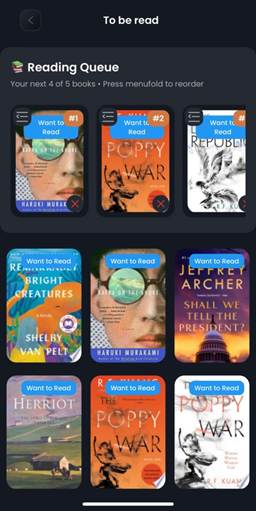
- You can add a maximum of five books to your reading queue.
NOTE:
You can activate the “Add to Reading Queue” option ONLY when your book’s status is set to “To Be Read”
Was this article helpful?
That’s Great!
Thank you for your feedback
Sorry! We couldn't be helpful
Thank you for your feedback
Feedback sent
We appreciate your effort and will try to fix the article