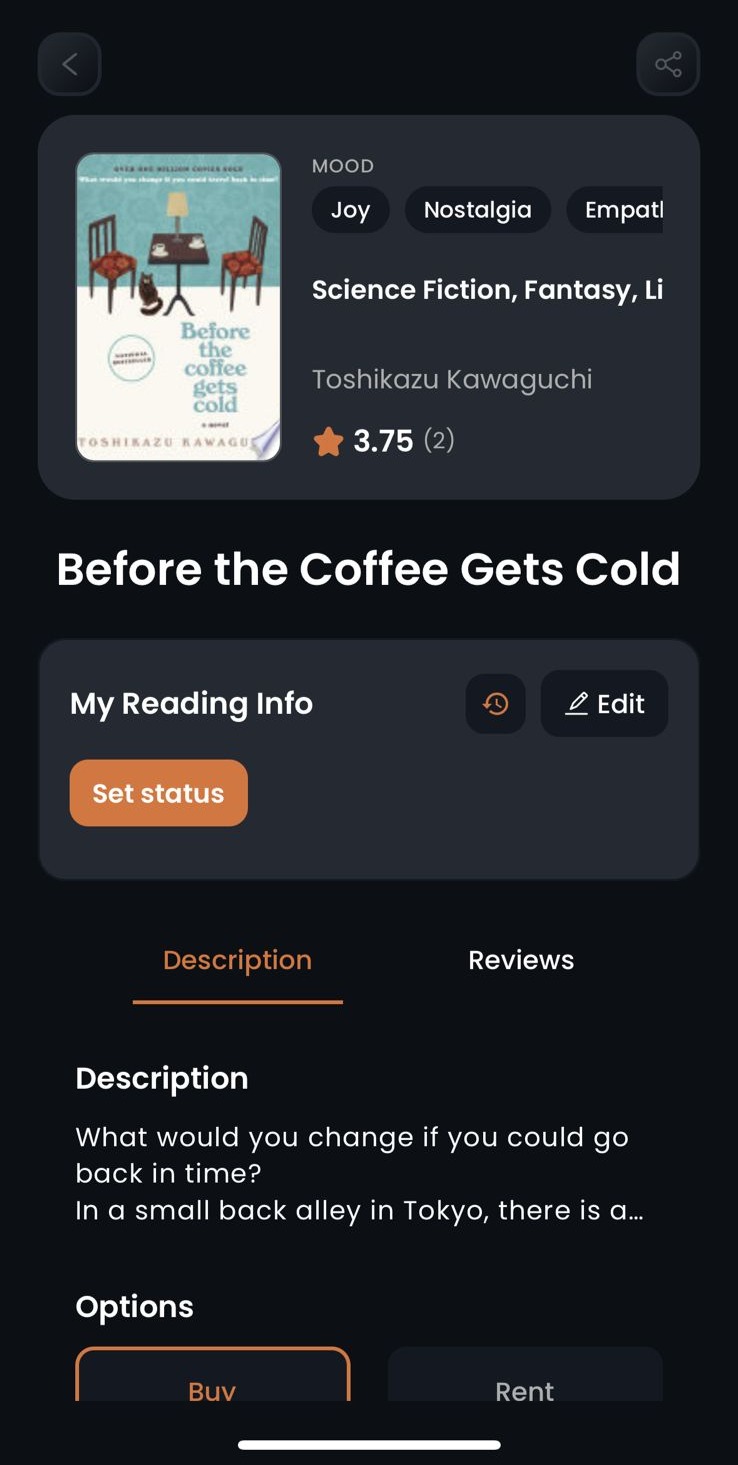
After you sign in to Biblophile, you can search for any book and update it's reading status to
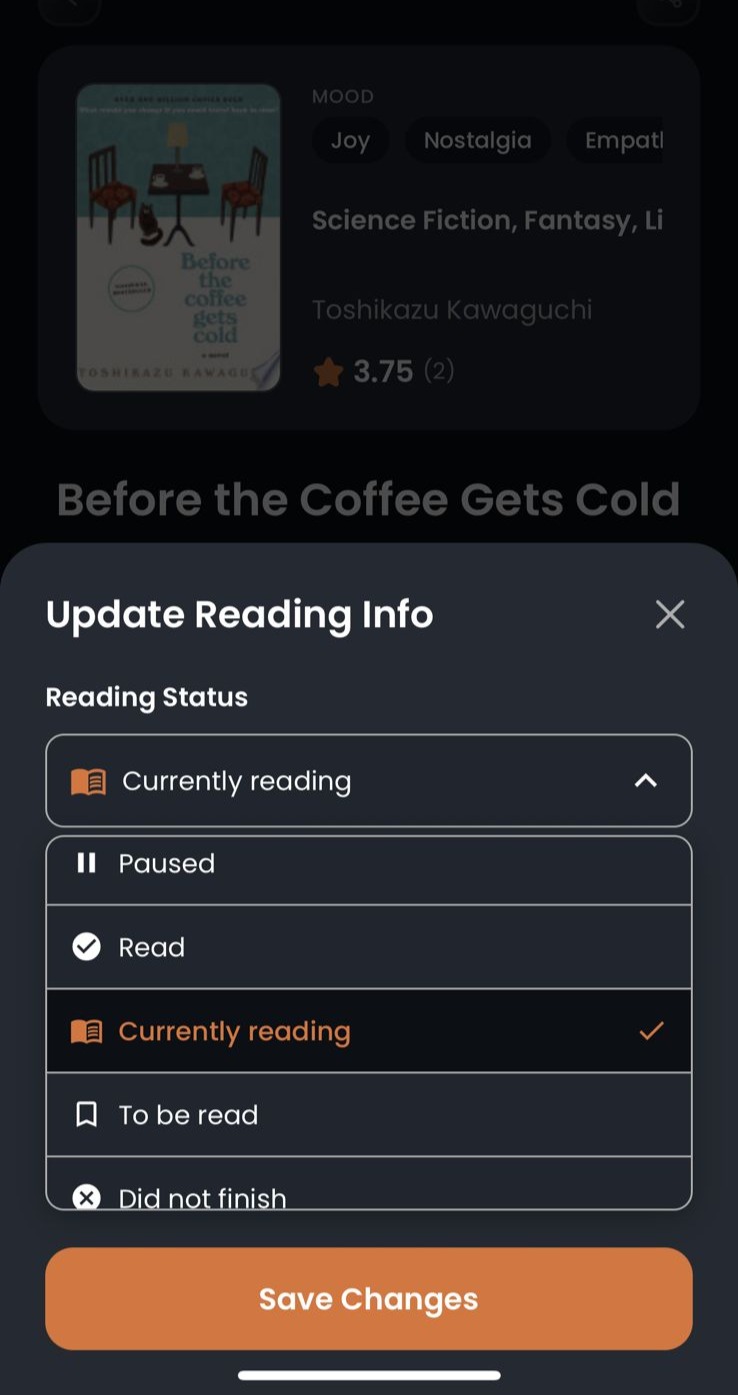
i) Currently Reading
ii) Read
iii) To be read
iv) Paused
v) Did not finish (DNF)
How to:
01. Locate the book that you want to add to your shelf using the search bar in the discover page.

02. Click on the "Edit" option next to "My Reading Info" under the book image.
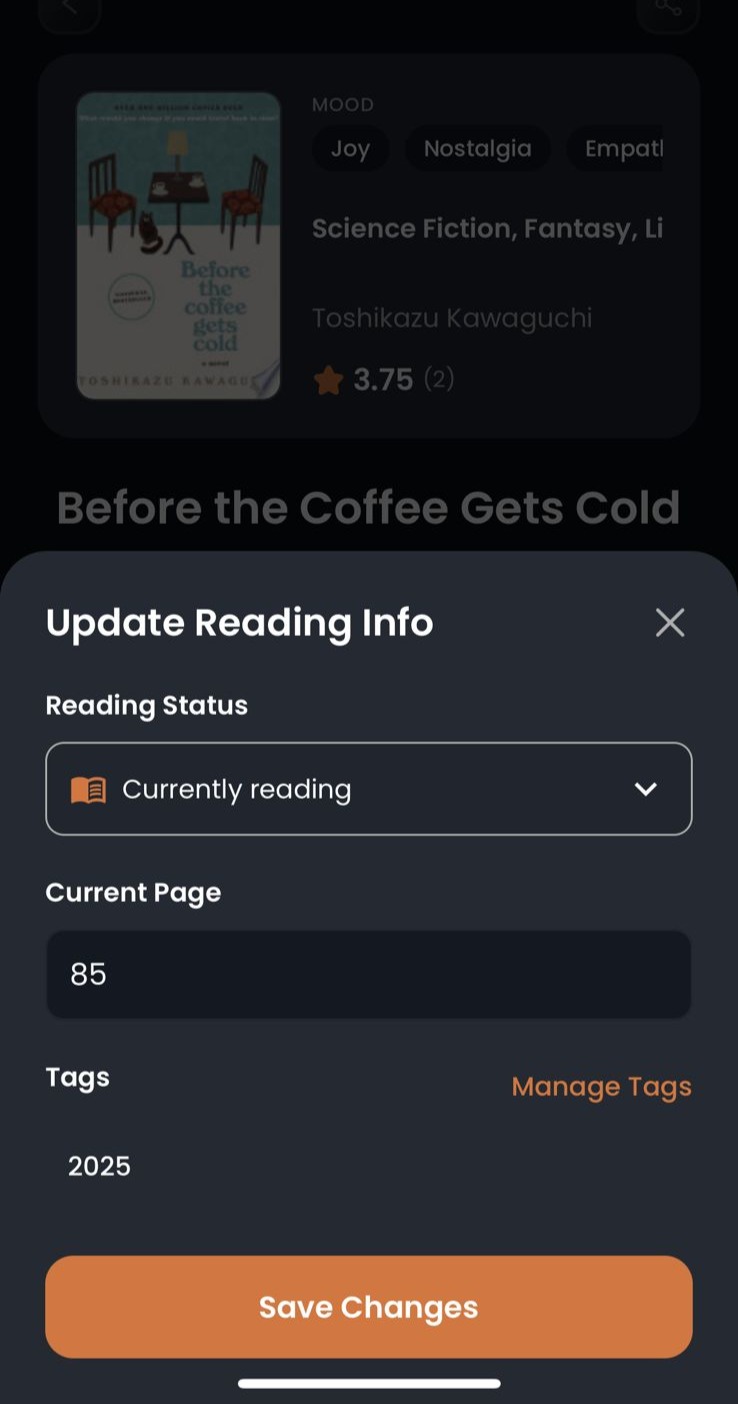
03. Click on the drop down menu under reading status and update as per your requirement.
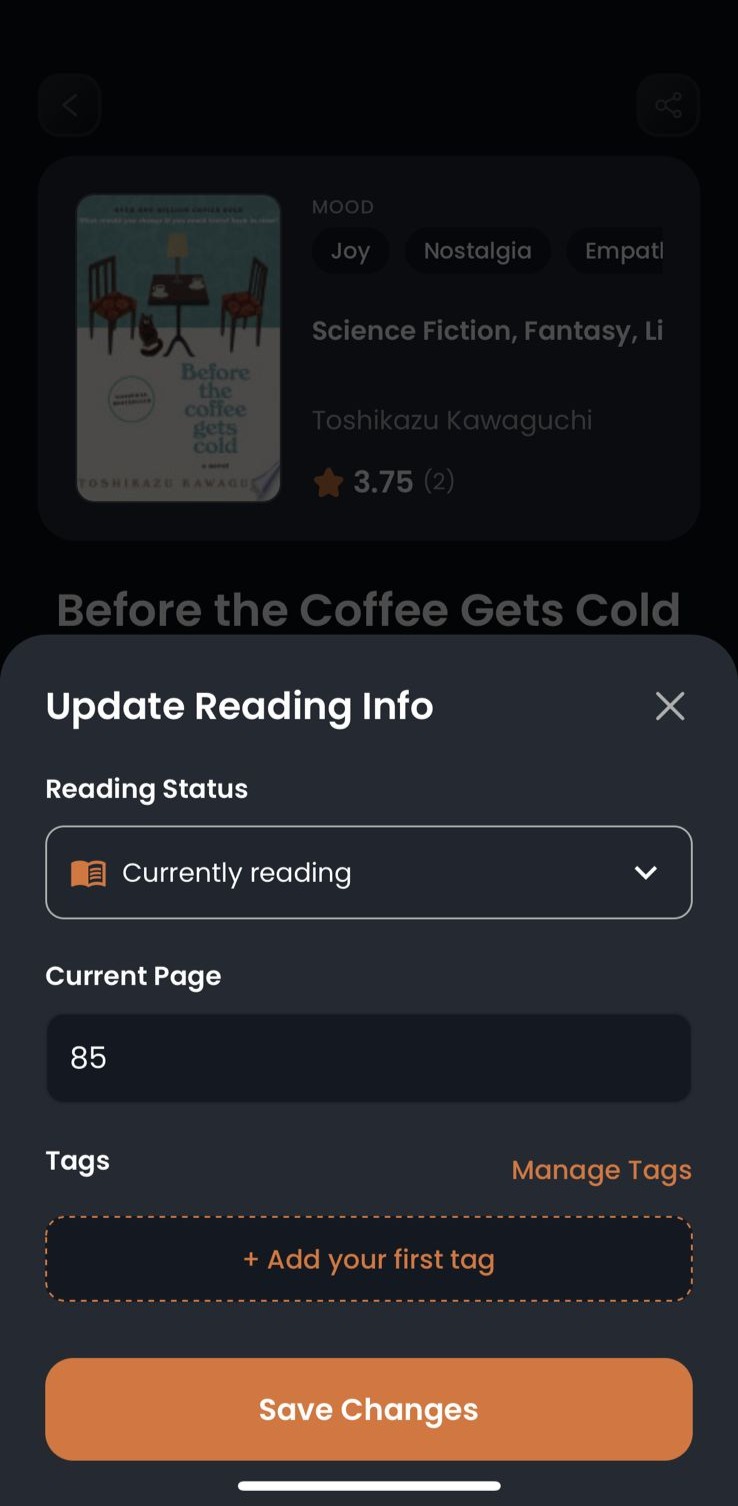
04. If you are currently reading a book, you can update the page number.
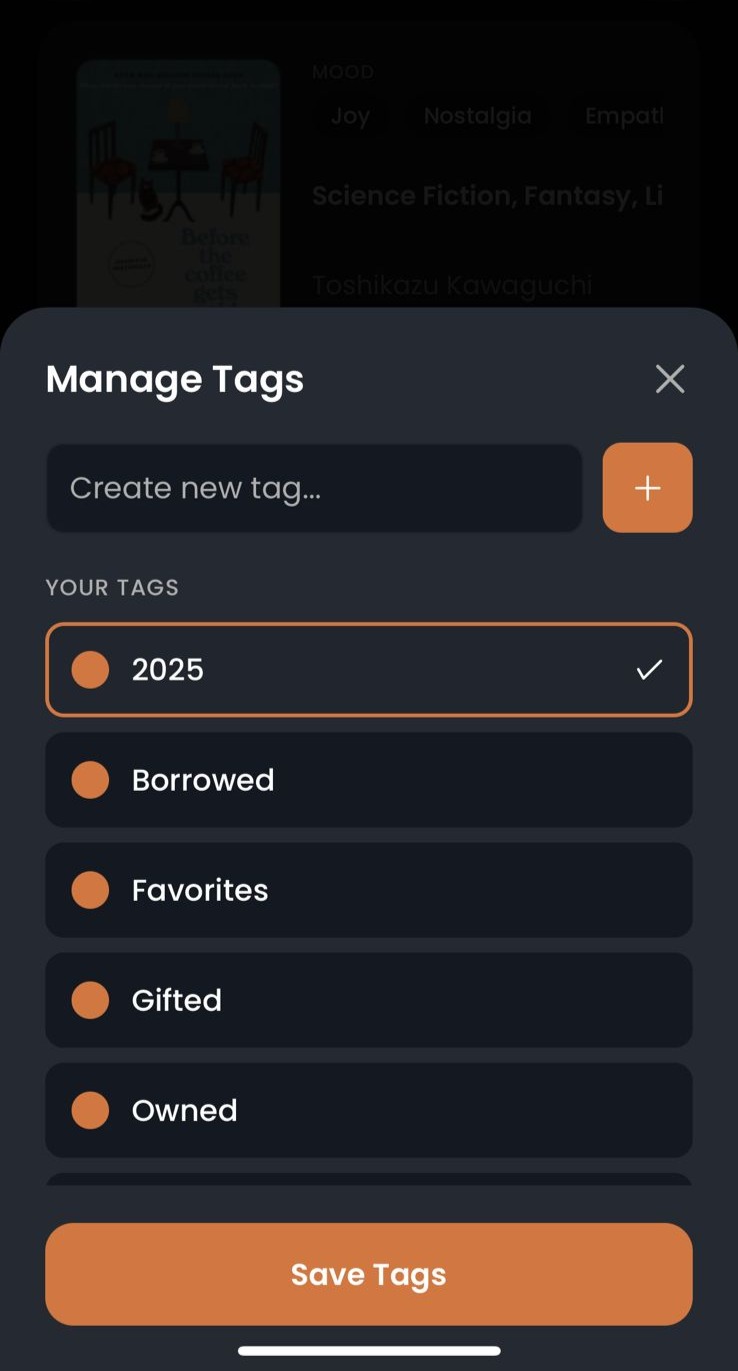
05. Optionally, you can tag the book with an existing tag or create a personalised one.
06. Click on "Save Changes"
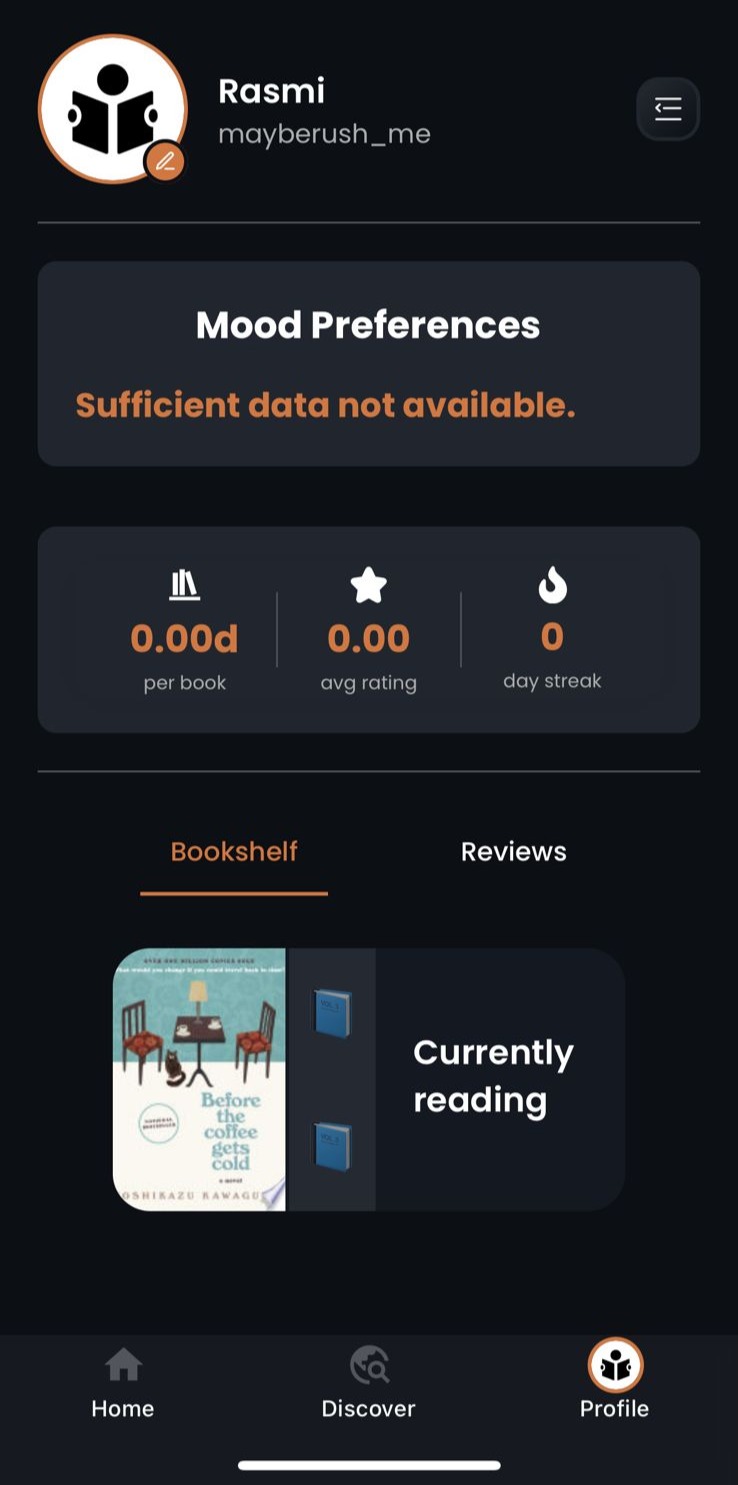
07. Find the book in the bookshelf in your Profile page.
Was this article helpful?
That’s Great!
Thank you for your feedback
Sorry! We couldn't be helpful
Thank you for your feedback
Feedback sent
We appreciate your effort and will try to fix the article